
BOSS have created the IndustryConnect platform to help people who are currently unemployed and looking for a role in the business supplies sector remain visible, connected, and open to new opportunities.
By adding your details, you enable organisations and hiring managers to view your skills and experience. It’s a straightforward way to stay connected with potential employers and ensure your expertise can be found by those who need it.
To help you get started, we’ve put together a quick guide on how to set up your profile. If anything feels unclear or you run into any issues, please reach out to community@bossfederation.co.uk and the BOSS team will be happy to assist you.
How to Set Up Your IndustryConnect Profile
1. Log in to the BOSS website
If you haven’t logged in before, you’ll be prompted to register first.
2. Go to your profile settings
Once logged in, select ‘Edit Public Profile’ (not 'Edit Profile') under the My Account section on the right-hand side.
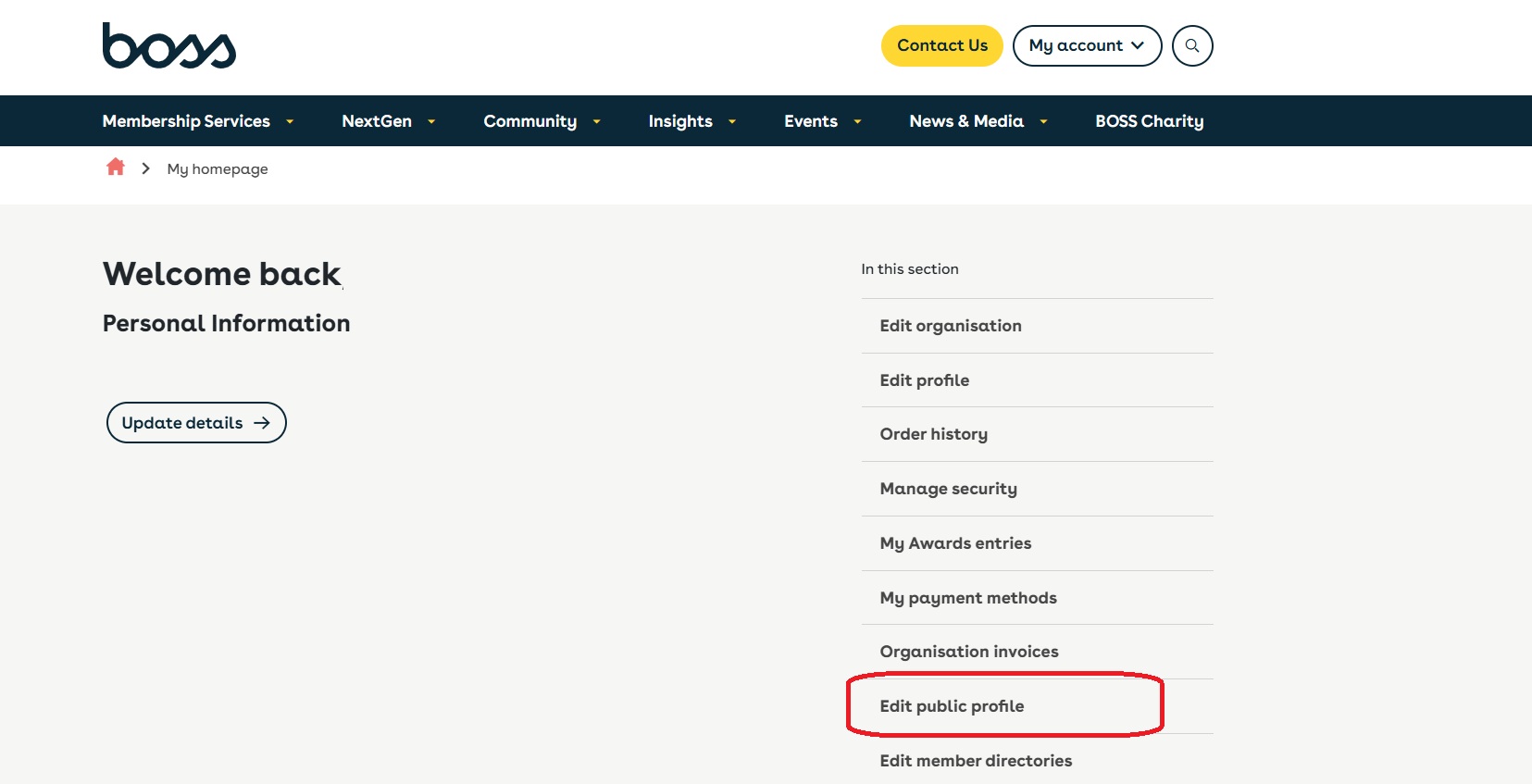
3. Complete your profile
On the ‘Edit Public Profile’ page, you can:
-
Add a profile picture
-
Enter your details, a short biography and the location you wish to work (up to 400 characters)
-
Select your skills and areas of experience - this helps companies find you
-
Add links to your social media pages
-
Switch the ‘Show’ toggle to green for any section you want to appear publicly (we recommend at least your name, bio, skills, and experience)
4. Confirm your profile is ready
Once you’ve completed your profile, please email community@bossfederation.co.uk to let us know. We’ll then make your profile live in the IndustryConnect directory so organisations can view your profile.
If you want your profile removed from IndustryConnect you can log in and do this yourself or email community@bossfederation.co.uk